

How to properly ground a data center busway?
Nov 12, 2025
Leave a message
Hey there! As a supplier of Data Center Busway, I've seen firsthand how crucial proper grounding is for these systems. In this blog, I'm gonna break down how to properly ground a data center busway and why it's so important.
Why Grounding Matters in a Data Center Busway
First off, let's talk about why grounding is a big deal. In a data center, the busway is responsible for distributing electrical power to various components. Without proper grounding, there are a bunch of risks. Electrical faults can lead to short circuits, which not only damage equipment but can also cause fires. Grounding provides a safe path for electrical current in case of a fault, protecting both the equipment and the people working in the data center.
Another reason is to reduce electrical noise. In a data center, sensitive electronic equipment is used, and electrical noise can interfere with their operation. A well - grounded busway helps to minimize this noise, ensuring the smooth functioning of servers, networking devices, and other critical systems.

Understanding the Basics of Grounding
Before we get into the actual steps of grounding a data center busway, let's understand some basic concepts. Grounding is all about creating a low - resistance path between the electrical system and the earth. This path allows electrical current to flow safely to the ground in case of a fault.
There are two main types of grounding in a data center: equipment grounding and system grounding. Equipment grounding connects the non - current - carrying parts of the equipment, like the metal enclosure of the busway, to the ground. System grounding, on the other hand, connects the neutral point of the electrical supply system to the ground.
Step 1: Select the Right Grounding Conductor
The first step in grounding a data center busway is to choose the right grounding conductor. The conductor should have low resistance to ensure that electrical current can flow easily to the ground. Copper is a popular choice for grounding conductors because of its high conductivity.
The size of the grounding conductor is also important. It should be large enough to handle the fault current without overheating. The National Electrical Code (NEC) provides guidelines on the minimum size of grounding conductors based on the size of the electrical service.
Step 2: Install the Grounding Conductor
Once you've selected the right grounding conductor, it's time to install it. Start by connecting the grounding conductor to the grounding electrode system. The grounding electrode system typically consists of a ground rod driven into the earth. Make sure the connection is tight and secure to ensure good electrical contact.
Next, connect the grounding conductor to the busway. The connection should be made at a designated grounding point on the busway. This point is usually marked by the manufacturer. Use appropriate connectors, such as compression connectors or exothermic welds, to ensure a reliable connection.
Step 3: Bonding the Busway Sections
In a data center, the busway is often made up of multiple sections. It's important to bond these sections together to ensure a continuous grounding path. Bonding involves connecting the metal enclosures of the busway sections using bonding jumpers.
The bonding jumpers should be made of a conductive material, such as copper, and should be sized according to the NEC requirements. Make sure the bonding jumpers are installed properly and that the connections are tight.
Step 4: Testing the Grounding System
After installing the grounding conductor and bonding the busway sections, it's crucial to test the grounding system. You can use a ground resistance tester to measure the resistance of the grounding system. The resistance should be within the acceptable range specified by the NEC.
If the resistance is too high, it could indicate a problem with the grounding conductor, the grounding electrode system, or the bonding connections. In such cases, you need to troubleshoot the system and make the necessary repairs.
Step 5: Regular Maintenance
Grounding is not a one - time thing. It requires regular maintenance to ensure its effectiveness. Inspect the grounding conductor and bonding connections periodically for signs of damage, corrosion, or loose connections. Replace any damaged components immediately.
Also, test the grounding system regularly to make sure the resistance remains within the acceptable range. Changes in the environment, such as soil moisture content, can affect the performance of the grounding system over time.
Using Our Data Center Busway Products
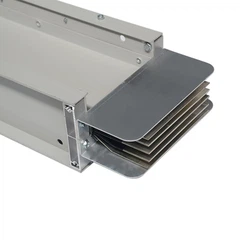
At our company, we offer a wide range of high - quality data center busway products. For example, our Air - Insulated Bus Duct Elbow is designed to provide a smooth and efficient way to change the direction of the busway. It's made with high - quality materials and is easy to install and ground.
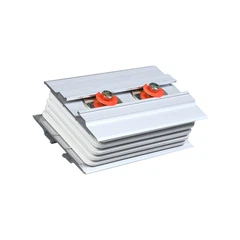
Our Air - Insulated Busway Tap Off Unit allows you to easily connect electrical equipment to the busway. It's designed with proper grounding provisions to ensure the safety of your electrical system.
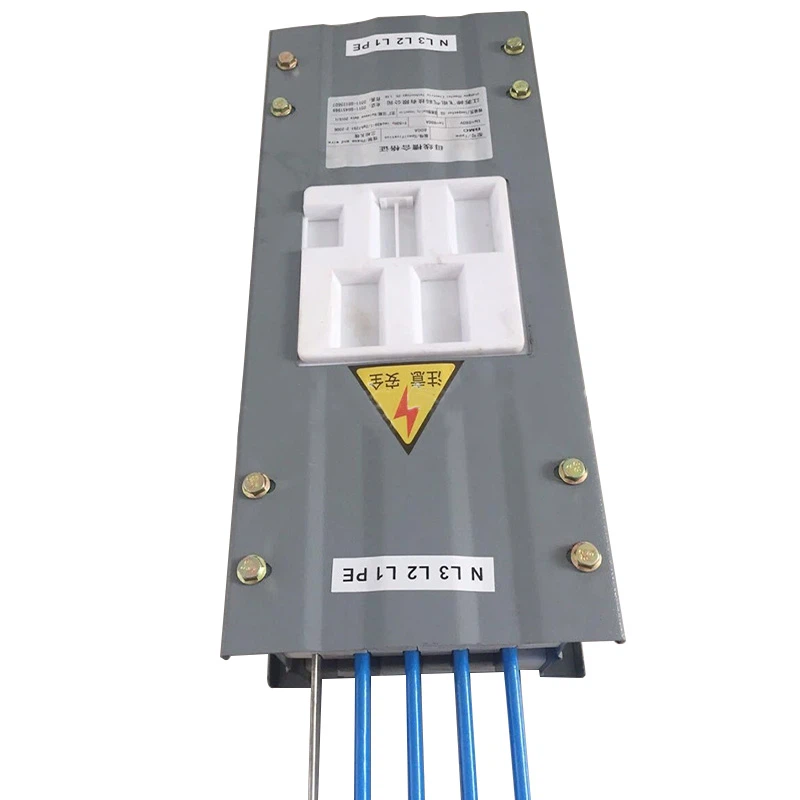
And our 3 - Phase Air - Insulated Bus Duct is a reliable solution for distributing three - phase power in your data center. It's built to withstand the rigors of a data center environment and is easy to ground.
Conclusion
Properly grounding a data center busway is essential for the safety and reliability of your electrical system. By following the steps outlined in this blog, you can ensure that your busway is grounded correctly. And if you're in the market for high - quality data center busway products, we're here to help. Whether you're building a new data center or upgrading an existing one, our products are designed to meet your needs.
If you're interested in learning more about our products or have any questions about grounding a data center busway, feel free to reach out to us. We're always happy to have a chat and discuss how we can help you with your data center power distribution needs. Let's work together to create a safe and efficient data center environment.
References
- National Electrical Code (NEC)
- Electrical Power Distribution Handbook
Send Inquiry